Delivery Galleries
What your client sees in a Spatiko delivery gallery — a branded page to preview and download real estate photos, floor plans, video, and 3D tours.
Last updated
Every order you deliver gets its own gallery — the page your client opens to preview a shoot and download the files. This guide walks through what that page looks like from the client’s side.
A page that looks like your business
The gallery is branded as yours, not Spatiko’s. It carries your business name, logo, colors, and contact details, and it can be served on your custom domain. To the client, it reads as an extension of your studio.
It’s a responsive web page, so it works on a phone as well as a desktop. On an iPhone or iPad, the download dialog adds a Save to Photos button next to the usual download, so photos land straight in the camera roll — see saving photos and videos to an iPhone for how that works from the client’s side.
If you offer clients a second language, an FR | EN switch sits in the gallery header so each client can read the page in the language they prefer. See languages and translations.

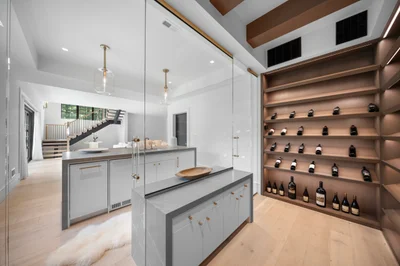


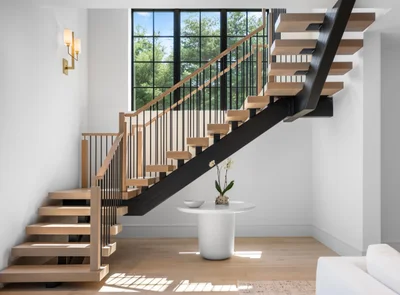
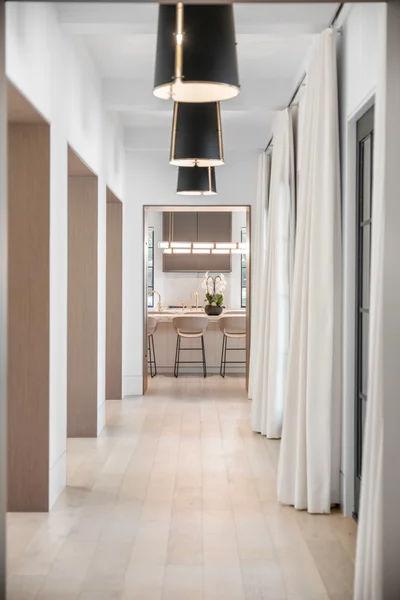
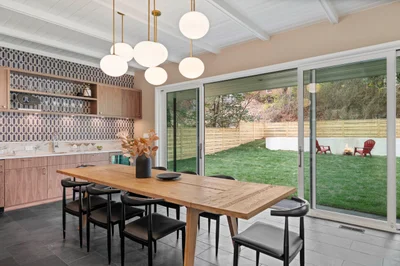
How the client gets in
Each recipient reaches the gallery through their own personal link — no account or password to set up. When a delivery goes to more than one person — a listing agent and a co-agent, say, or the seller too — every one of them gets their own link in their own email, and each link opens that person’s view of the order: the same photos and files, with only their own billing showing. See order participants for how you decide who receives the delivery.
A link is valid for 30 days. If you resend the delivery email from Delivery links, each person you tick gets their same link back, renewed to 30 days from the resend — a resend never shortens a link. Photos you add to the order after delivering show up on the existing links, so nobody needs a new one. See sending a delivery.
The gallery only shows deliverables once you’ve sent the delivery. Before that, a valid link opens to nothing to download.
What’s inside
A gallery gathers everything from the order in one place:
- Photos, browsable as a grid.
- Floor plans, shown as their own group.
- Video, 3D tours, and other content links — Matterport, Zillow, and similar. If the client signs off on video cuts before delivery, that happens through Frame.io video review — the gallery carries the finished version.
- Files — anything that isn’t a photo or a video but belongs with the shoot: a PDF brochure, a floor-plan CAD file, a printable flyer. Upload it from the order’s content section and it appears alongside the pasted links, downloadable on its own.
- The property website, if the order has one, with its branded and unbranded links once it’s live. On an order locked for payment, the card shows a lock and “Your property website goes live once the order is paid.” instead of the links. See property listing websites.
- Order and photographer details, so the client knows who shot what.
- Invoices — any invoices issued to that viewer are downloadable from the same page. A recipient with no invoice sees no pricing or billing at all.
On Starter and up, a delivered gallery also carries a Marketing assets section from Marketing Studio — any posts and flyers you added to the delivery, plus a way for the agent to make their own from your photos. A company admin who receives the delivery doesn’t get this section; it’s for the agents on the order.
Previews versus downloads
Browsing is fast because the gallery serves a web-optimized version of every image. Spatiko optimizes every file you upload for delivery automatically — you never export a separate set of delivery sizes yourself.
The client can download a single file or a whole section at once. On the way out they pick a format:
- Listing Ready — the high-resolution version, optimized for listing portals and print. Most agents pick this one.
- Web & Social — smaller files, faster to share.
- Full Quality — the largest files, shown when the order has originals to serve: either files you uploaded at original quality or a connected cloud delivery folder.
Web & Social and Listing Ready are always available. The portal examples shown next to each format adapt to your business’s country — and Spatiko does not connect or upload to any MLS or listing service.
If you want your clients to get true full-resolution originals, connect cloud storage. Spatiko then serves originals straight from the order’s delivery folder, and the client downloads them right from the gallery — they never touch, see, or need a Dropbox or Google Drive account.
Multi-file downloads are packaged into a ZIP on demand and start straight from the gallery. The one exception is Full Quality on a cloud-backed order: a whole photo section still downloads in one go, but a selection or the floor plans download as separate files, because those originals live in your cloud folder. The dialog explains what to expect on each device:
- Most browsers — “Downloads as separate files. Your browser may ask you to allow multiple downloads.”
- Chrome or Edge on a computer, Dropbox orders — the client chooses or creates a folder once, and every file is saved into it.
- iPhone or iPad — one file per tap: the button steps through Download file 1 of 4, Download file 2 of 4, and so on.
A run can be stopped with Stop downloading, and if some files fail the button offers to retry just those. If the originals can’t be reached at that moment, the client is told the full-quality files aren’t available right now and to contact you.
Asking for a change
A client who wants a photo reworked doesn’t have to start an email thread. In the gallery they select one or more photos or floor plans — up to 50 at a time — and choose Request Changes. They can leave a short note on each file and one overall message for the batch. They can do it from the emailed delivery link or from the client portal.
On your side, the order’s media picks up a banner reading “N change requests from your client”, with Show flagged only to narrow the grid to what needs attention and Mark all resolved to clear them in one go. Flagged files carry a badge; opening one shows the client’s note and any past requests you’ve already settled.
Anyone the delivery was emailed to can request changes from their own link — except a company admin, whose link is view and download only. In the client portal, the option is shown to the order’s main client and their account managers.
Requests stay open until you mark them resolved or dismiss them. You’re notified by email and in the app, and the request is recorded on the order’s activity history.
Change requests are unavailable while an order is locked for payment.
When payment is required first
If the order requires payment before download, the client still sees every photo as a locked preview, but full-size viewing and downloads unlock only once the order is fully paid. A partial payment doesn’t open the files. The gallery refreshes to unlock shortly after payment succeeds. See pay-to-download for how the gate works.
The gate reads the order’s overall payment state. On an order billed to more than one payer, downloads stay locked for everyone — including a payer who has already settled their own invoice — until the whole order is paid. That payer’s link will show their own invoice as Paid while the downloads stay locked; that’s expected, not a glitch. If you want a co-agent’s files released independently of the other payer, don’t gate the order.
The same gate covers everything on the page: file downloads follow the same rule as video, the listing’s marketing assets and change requests stay closed, and a published property website stays offline to the public until the balance is settled — then it goes live on its own.
If the order is billed on a combined invoice — one invoice covering several of a client’s shoots — the locked gallery has no pay button. It shows Billed on a combined invoice instead, names the invoice and its due date, and points the client to the payment link in their invoice email. Payments on a combined invoice are applied to the oldest shoot first, and each shoot’s downloads unlock once its share is paid — see orders billed on a combined invoice.
Where galleries live over time
A delivery link is the fastest way to hand over one shoot. Over time, all of a client’s galleries also gather together in the client portal, where they can re-download past work without asking you for a fresh link.
For the bigger picture on how delivery fits together, see delivering your media.
Go deeper
- How clients view and download their media — the same gallery, walked through from the agent’s side.
- Signing in to the client portal — how agents get back to past galleries without asking you for a fresh link.
- Pay-to-download — how the payment gate locks previews and releases downloads.
- Custom domains — serve galleries and property sites on your own domain.
- Branded and unbranded links — the two link types for the property website that ships with the gallery.
Frequently asked questions
Does my client need an account or a password to open their gallery?
No. Each recipient reaches the gallery through their own personal link, with no account or password to set up. The link is valid for 30 days, and when you resend the delivery email it's renewed to 30 days from the resend.
Which download format should my agent pick when downloading their photos?
Listing Ready is the high-resolution version for listing upload and print, and it's what most agents want. Web & Social gives smaller files that are faster to share, and Full Quality — the largest files — appears when the order has originals to serve. Spatiko does not connect or upload to any MLS or listing service.
Does a partial payment unlock the downloads?
No. The gate reads the whole order's payment state, so downloads unlock only once the order is fully paid — even on a split-billed order where one payer has already settled their own invoice. See the pay-to-download guide for how the gate works.
How many photos can a client flag in one change request?
Up to 50 photos or floor plans at a time. They can leave a short note on each file plus one overall message for the batch.