Marketing Kits for Social Posts
Every delivered gallery carries a marketing kit — your client turns the photos you shot into ready-to-post social images in your brand colors.
Last updated
Agents rarely post a raw photo. They crop it, drop the address and the price on top, and try to make it look like their brand — usually in Canva, usually badly, and usually a day or two after you delivered.
The marketing kit closes that gap. Every delivered gallery includes a small studio that turns the shoot into a finished social image: the agent picks a template, adjusts the text, and downloads a PNG. There’s nothing for you to set up, and nothing extra to export.
Where your client finds it
The marketing kit sits directly below the photos, both on the delivery gallery they reach from your delivery email and on the order page inside the client portal. Either way it’s the same kit, on the same order.
What the composer does
Create social post opens an editor with a live preview on one side and the controls on the other. The agent picks a template and a size, chooses which photos go in it, tweaks the text, and hits Download PNG. The image comes out at full social-post resolution (1080px wide), named after the property so it’s easy to find again.
Everything happens in the browser, on the spot — nothing is queued, and nothing gets saved back to the order.
It works just as well on a phone, which is where most agents actually post from. On an iPhone or iPad the finished image is prepared as they edit, and the button becomes Save to Photos — one tap and the tile is in their camera roll, ready for Instagram, with a plain file download as the fallback.
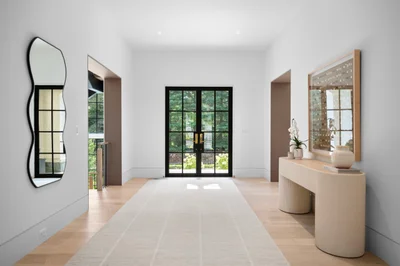
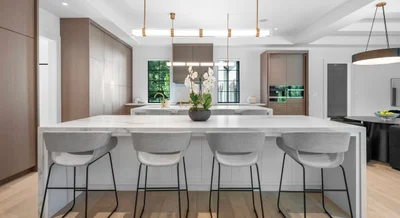
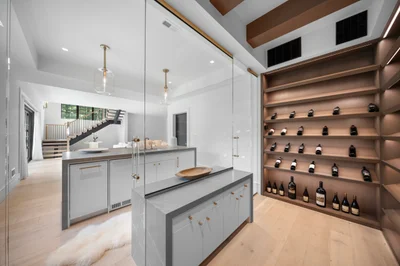
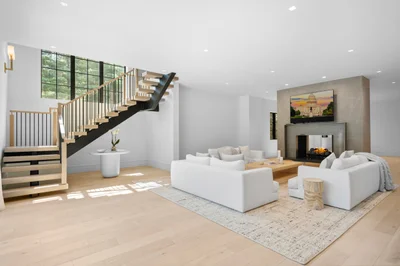

Templates and sizes
There are nine templates in two groups:
- Single photo — Bold Hero, Editorial, Info Card, Sidebar Panel, Matted Print, and Magazine Banner.
- Collage — Duo, Trio, and Quad, taking two, three, or four photos.
Each one comes in three sizes: 1:1 Post, 4:5 Post, and 9:16 Story. Switching template or size keeps the photo picks and the text, so the agent can export the same listing as a feed post and a story without redoing the work.
Collage templates fill numbered slots. The agent taps a slot, taps a photo, and the selection moves on to the next slot automatically.
What fills in on its own
The kit is prefilled from the order before the agent touches anything:
- Photos — every ready photo on the order, hero image first.
- Address — the property address, split into street and city/state/zip.
- Beds, baths, square footage, and price — pulled from the order’s property website details, formatted in your currency.
- Brokerage name — from the client record on the order.
- Badge — “Just Listed” to start with.
Anything blank simply doesn’t render — a tile with no price shows no price line rather than an empty gap. If you fill in the listing details when you build the property website, the agent opens a tile that’s already complete.
What the agent can change
Every field is editable in the composer: the badge, both address lines, beds, baths, square footage, price, and the brokerage name. They can also upload their brokerage logo, which appears on the tile next to the name — that logo is used for the download only and isn’t stored on the order or in your account.
None of these edits touch the order, the property website, or your client records. The composer is a scratch pad.
Your branding, their post
The tiles are accented with your business’s brand primary color — the badge dot, the stat separators, and the template accent details all follow it. Set it under business profile and branding and every tile your clients generate from then on picks it up. Typography is fixed across templates so the tiles stay legible at any size.
When the kit appears
The marketing kit shows on an order when all three of these are true:
- The order has been delivered.
- Downloads aren’t locked for payment.
- The order has at least one photo ready.
That second point matters if you use pay-to-download: on a locked order the kit doesn’t appear at all, and it comes back the moment the balance is settled — along with downloads and change requests. A video-only or floor-plan-only order won’t show a kit either, since there are no photos to build a tile from.
Why it’s worth caring about
A marketing kit is a quiet retention feature. The agent posts the listing faster, the post looks like the shoot you delivered rather than a cropped screenshot, and the whole thing happens on a page carrying your business name. It ships with every gallery — there’s no setting to switch on and nothing extra to charge for.
For the full picture of what a client can do with a delivery, see delivery galleries.
Go deeper
- Delivery galleries — the page the kit sits on, and everything else the client can do there.
- Sending a delivery — deliver the order, since the kit only appears once you have.
- Editing a property website — fill in beds, baths, and price so tiles arrive already complete.
- Client records — where the brokerage name on the tile comes from.
- Business profile, branding and legal documents — set the brand color every tile picks up.
Frequently asked questions
Do I have to set the marketing kit up or charge for it?
Neither. It ships with every delivered gallery — there's no setting to switch on and nothing extra to export. The tiles pick up your business's brand primary color automatically, so set that once and every tile your clients generate follows it.
Why isn't the marketing kit showing on one of my orders?
Three things have to be true — the order is delivered, downloads aren't locked for payment, and there's at least one ready photo. On a locked order the kit doesn't appear at all and comes back the moment the balance is settled, and a video-only or floor-plan-only order won't show one because there are no photos to build a tile from.
Does anything the agent types in the composer change my order?
No. Edits in the composer never touch the order, the property website, or your client records — it's a scratch pad. A brokerage logo the agent uploads is used for that download only and isn't stored on the order or in your account.
Can the agent export the same listing as a feed post and a story?
Yes. Every template comes in 1:1 Post, 4:5 Post, and 9:16 Story sizes, and switching template or size keeps the photo picks and the text — so they don't redo the work for each format.